
The design systems of Apple, Stripe, and 56 more, ready for your next site.
A brand-new GitHub repo holds 58 real design systems. Pick one, run its command, and Claude drops a design.md into your project, the exact colors, type, and components. Point Claude at that file and it builds on a look that already works. Here is the full setup.
No signup needed. Everything is right here on this page.
Open a system's design.md and its colors, type, and components are laid out for Claude. ✦
Fifty-eight design systems, one design.md away.
Awesome Design MD is a free GitHub repo holding the design systems of Apple, Stripe, Linear, Notion, SpaceX, and dozens more. Pick one and you get a design.md file that spells out its colors, typography, and components, plain text Claude can read, so you build on a look that already works instead of guessing.
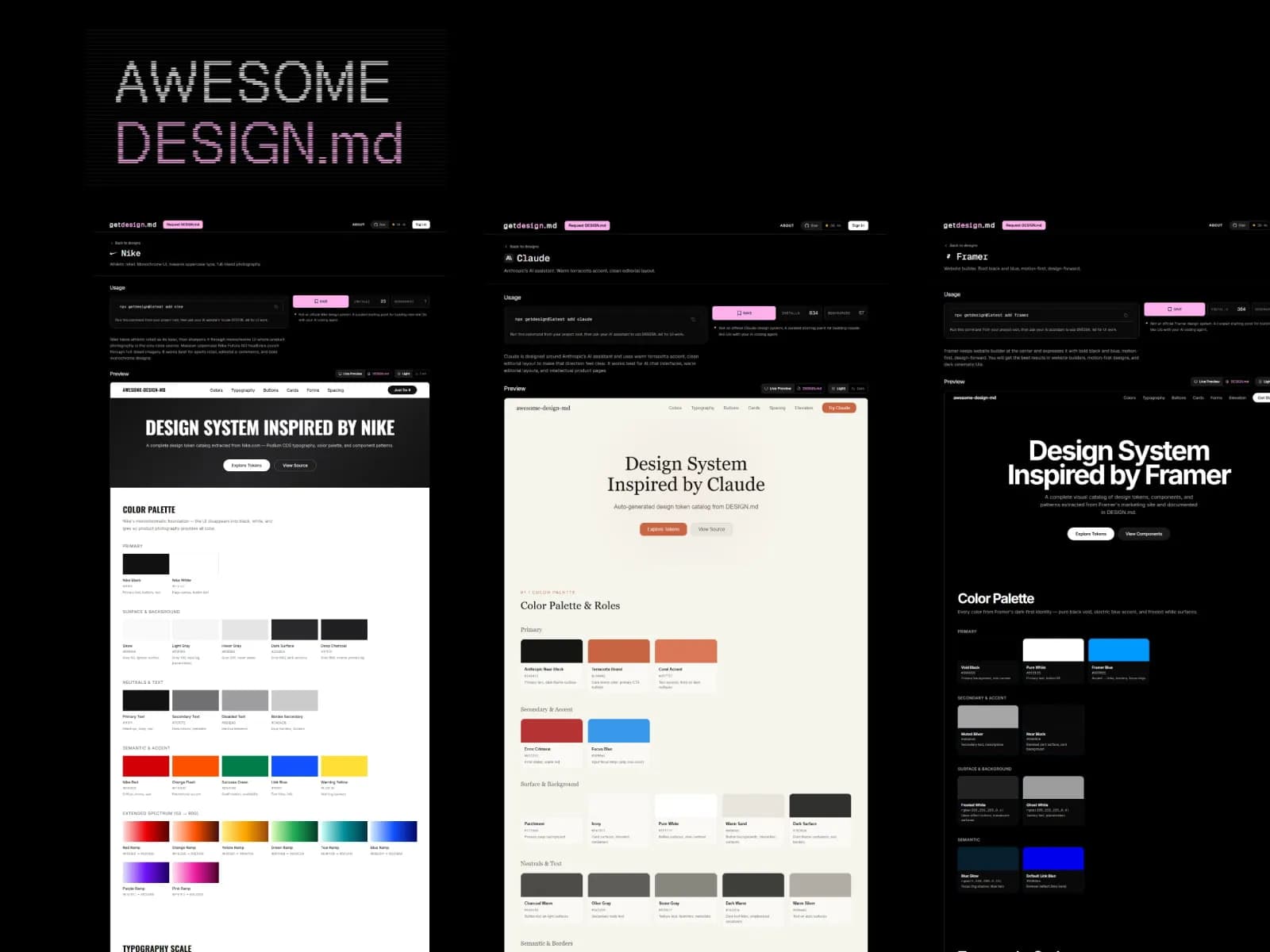
Pick a look you already trust
How it works
# 1. Browse the repo, pick a system
github.com/voltagent/awesome-design-md

# 2. Run that system's command (or ask Claude)
#    -> writes design.md into your project

# 3. Build against it
"Build my landing page and follow design.md."
Browse the repo, pick a system, and run its command. Claude writes a design.md into your project with that system's colors, type, and components, then follows it every time it builds.
From repo to refined site in five steps
Open the repo
Go to the Awesome Design MD repo on GitHub and browse the systems: Stripe, Linear, Raycast, Notion, even SpaceX.
Pick your system
Choose the look you want. Each one ships with its own install command, right there in the repo.
Run its command
Run that command, or hand it to Claude Code. In a few seconds you get a design.md file dropped into your project.
Build against design.md
Ask Claude Code to build your site and follow design.md. The system is respected, but the layout still looks a little generic.
Refine the layout
Install the refine skill and ask Claude to polish the site. Now it looks genuinely good, and that was about five minutes of work.
Asks to copy into Claude
Paste one in and watch your site take shape.
Tap an ask to copy it.
The fine print, no hype
- The repo gives you the design language, not a finished site. You still arrange the page.
- The first build respects the system but looks generic. The refine step is what makes it shine.
- You still need taste: review and adjust what Claude produces.
- The clearer you describe the layout you want, the better the result.
You have the free part. Here is the whole path.
Everything above is yours, free. When you are ready to go from a blank screen to a real product you own, live on your own domain, this is the step that gets you there. Prices are right here, so you never have to go looking.
Yalla Kit
The ultimate Next.js boilerplate tailored for AI agents and seamless RTL support.
$50$150Save 67%one-time
- Everything wired for launch
- Bilingual out of the box (LTR & RTL)
- Supabase Auth & Database configured
- Stripe payments integrated
- Lifetime access to all updates
One-time payment. Lifetime access and updates. Founding price for the first cohort only.
Five minutes for this. Imagine a full hour.
You have the repo, the steps, and the prompts. Go build something that looks like it had a designer.
Learn to build a full product this way, in Arabic, from zero.
Watching on Instagram, TikTok, or YouTube?
Comment "Design" and I will reply with this page: the repo, the refine skill, and the full Claude setup.
Fouad Hassanein
@withfouad
An Arab software engineer who ships real products with AI. I teach building full apps with Claude, in Arabic, from zero.
withfouad.com